Xiaomi Security App Guide 2026: Boost Speed & Protect Your Phone
Have you ever noticed your phone feeling a little sluggish or “heavy”? Maybe your battery isn’t lasting as long as it used to, or you’re worried about clicking a weird link. If you own a Xiaomi, Redmi, or POCO phone, you already have a secret weapon built right in. It is called the Xiaomi Security App, and it is much more than just a basic antivirus.
Think of this app as a digital Swiss Army knife. It is designed to keep your device running like it just came out of the box. Whether you are a hardcore gamer looking for a lag-free experience or someone who just wants to keep their private photos safe, this app has your back. In this guide, we will break down everything you need to know about using this powerful tool to make your smartphone faster, safer, and smarter.
What Exactly is the Xiaomi Security App?
The Xiaomi security app is a pre-installed system tool found on all Xiaomi-made devices. Unlike third-party apps you might find on the Play Store, this one is deeply integrated into the operating system (MIUI or the newer HyperOS). This means it can do things other apps can’t, like cleaning deep system cache files and managing how much power your processor uses.
The main goal of the app is simple: protection and optimization. It combines a virus scanner, a junk cleaner, a battery saver, and a privacy manager all in one place. You don’t need to download five different apps to keep your phone healthy because this single tool handles it all. It’s officially developed by Xiaomi, so you can trust it to be safe and effective.
How the Security Scan Keeps You Safe
The heart of the Xiaomi security app is the Security Scan feature. In 2026, mobile threats are smarter than ever, but this scanner stays one step ahead. It doesn’t just look for “bad files.” It checks your system settings to see if you have any “backdoors” open that hackers could use. It also monitors your payments to make sure nobody is stealing your credit card info when you shop online.
When you run a scan, the app uses a huge database of known viruses and malware. It checks every app you’ve installed and even scans the ones you are about to install. If it finds something fishy, it stops it immediately. It’s like having a 24/7 bodyguard for your digital life, ensuring that your private messages and bank details stay exactly where they belong—with you.
Cleaning Up Junk Like a Pro
Every time you use your phone, it creates “trash” called cache files. These are temporary files that apps use to load faster, but over time, they pile up and take over your storage. The Cleaner tool inside the Xiaomi security app is famous for being incredibly thorough. It finds old APK files, empty folders, and hidden “residue” left behind by apps you deleted months ago.
Using the Cleaner is satisfying because it shows you exactly how much space you’ve saved. I’ve seen phones regain 5GB of space just from one 30-second scan! There is also a “Deep Clean” option for those who really need more room. This feature looks for duplicate photos and large videos that you might have forgotten about, making it easy to tidy up your digital life.
Boosting Your Phone’s Performance
If your phone feels laggy when opening apps, the “Boost Speed” feature is your best friend. The Xiaomi security app manages your RAM (Random Access Memory). RAM is like your phone’s short-term memory; if it gets too full, things start to slow down. With one tap, the app closes background processes that are eating up your memory without you knowing.
What makes this better than other “ram boosters” is that it’s smart. It won’t close your music player while you’re listening to a song or kill an important notification. It only targets the “vampire apps” that are sucking up resources for no reason. This results in a much smoother experience, especially when switching between heavy apps like Instagram or YouTube.
Maximizing Your Battery Life
We’ve all been in that situation where our battery is at 10% and we’re nowhere near a charger. The Xiaomi security app has an amazing Battery section that helps you stretch every last drop of power. It offers different modes: Balanced, Performance, and Battery Saver. If things get really desperate, there is even an “Ultra Battery Saver” mode that turns off everything except the basics like calls and texts.
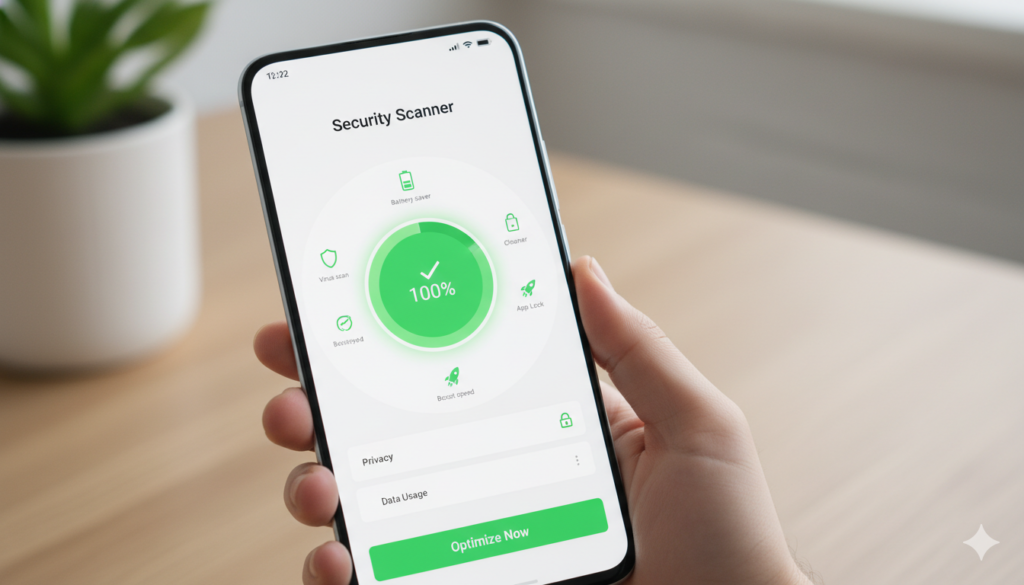
This tool also gives you a “Battery Health” report. It tells you which apps are the biggest “juice guzzlers” and offers to fix problems like high screen brightness or background GPS usage. It even suggests a “Sleep Mode” that learns when you aren’t using your phone and shuts down non-essential functions to save power overnight.
Essential Features of the Xiaomi Security App
| Feature Name | Primary Function | Why You Should Use It |
| Security Scan | Antivirus & Payment Safety | Keeps your data safe from hackers. |
| Cleaner | Removes junk & cache files | Frees up storage for more photos/apps. |
| Boost Speed | Clears RAM | Makes the phone feel snappy and fast. |
| Battery | Power Management | Extends daily battery life significantly. |
| App Lock | Privacy Protection | Adds a PIN/Fingerprint to specific apps. |
| Game Turbo | Gaming Optimization | Stops lag and blocks annoying pop-ups. |
Privacy and App Management
Privacy is a big deal these days, and the Xiaomi security app gives you full control. Through the “Manage Apps” and “Permissions” menus, you can see exactly which apps are allowed to use your camera, microphone, or location. If a flashlight app is asking for your contact list, you can block it right there. It’s all about putting the power back in your hands.
There is also a “Second Space” feature. This is like having two different phones in one. You can have a “Work” space and a “Personal” space, each with its own apps and files. It’s perfect for people who want to keep their work emails away from their weekend gaming sessions. The app makes sure these two worlds never touch, keeping your data extra secure.
Game Turbo: A Gamer’s Dream
If you play games like Genshin Impact or PUBG, you know that a single notification can ruin a match. The Xiaomi security app includes “Game Turbo,” which is a special mode just for players. It prioritizes internet bandwidth for your game so you don’t lag and boosts the GPU performance for better graphics.
While you’re playing, you can pull out a side menu to record your screen, clear memory, or even change your voice. It also lets you open apps like WhatsApp in a small window so you can reply to a text without leaving the game. It’s a game-changer for anyone who takes their mobile gaming seriously.
Keeping Your Apps Locked and Hidden
Sometimes, a screen lock isn’t enough. Maybe you want to let a friend use your phone but don’t want them reading your private chats. The Xiaomi security app has a built-in “App Lock” that lets you put a separate password or fingerprint on individual apps. It’s instant and very hard to bypass.
For even more privacy, you can use the “Hide Apps” feature. This completely removes an app icon from your home screen. To see it again, you usually have to use a special finger gesture on the screen. It’s the ultimate way to keep sensitive apps like banking or private galleries away from prying eyes.
How to Keep the App Updated
Xiaomi is constantly improving this tool. To get the best out of the Xiaomi security app, you need to make sure it’s updated. Usually, this happens automatically through the “System Apps Updater” in your settings. Staying updated ensures you have the latest virus definitions and the newest speed-boosting tricks.
If you ever feel like the app isn’t working right, you can go into the app settings and clear the app’s own data. This won’t delete your photos; it just resets the security app so it can start fresh. It’s a quick fix for most minor bugs or glitches you might encounter.
Frequently Asked Questions (FAQs)
1. Is the Xiaomi security app safe to use?
Yes, it is 100% safe. It is an official system app developed by Xiaomi. It is designed to protect your device, not harm it, and it uses trusted antivirus engines like Avast.
2. Can I delete the Xiaomi security app?
Since it is a core system app, you cannot uninstall it normally. This is because your phone relies on it for many background tasks like battery management and security.
3. Does this app work on other Android phones?
The Xiaomi security app is designed specifically for Xiaomi, Redmi, and POCO devices. While you might find APKs online for other phones, they usually won’t work correctly because they lack the necessary system permissions.
4. Why does the app show ads sometimes?
Some versions of the app include “recommendations.” You can easily turn these off by going into the Security App’s settings and toggling off “Receive recommendations.”
5. How often should I run a security scan?
It’s a good idea to run a scan once a week. However, the app also works in the background to monitor new apps you download, so you’re always protected.
6. Does Game Turbo actually make games faster?
Yes! It clears background RAM and focuses the processor’s power on the game. It also optimizes your touch response time for better control.
Conclusion: Your Phone’s Best Friend
At the end of the day, the Xiaomi security app is the most important tool on your device. It keeps your phone fast, your battery healthy, and your personal data away from hackers. By spending just a few minutes a week exploring its features—like the Cleaner or the Security Scan—you can ensure your phone stays in peak condition for years.
Have you tried the Deep Clean feature yet? Open your Security app today and see how much space you can save! If you found this guide helpful, share it with a friend who also uses a Xiaomi phone—they’ll thank you for the extra storage space!